Flashing
Accessing and Reinstalling the Breather Vent
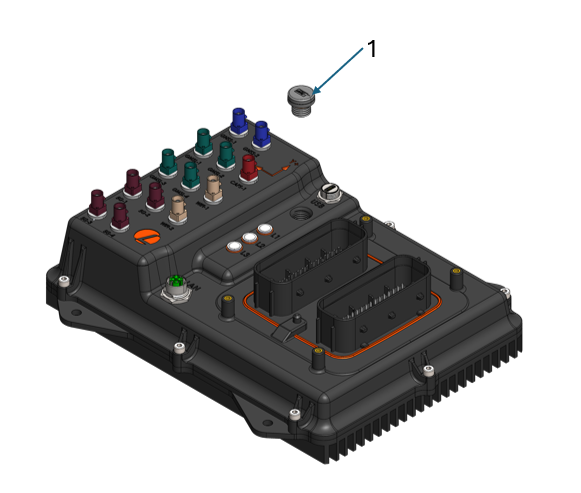
- To access the flashing port, the breather vent (1) must first be removed. To remove it, turn the breather vent by hand until it is fully detached.
- Once removed, insert the small adapter PCB.
- Flash the AutomatePro image by following the NVIDIA Flashing Support guide for Jetson Linux 36.5 (JetPack 6.2.2).
- After flashing is complete, ensure there is sufficient grease on the breather vent O-ring.
- Reinstall the breather vent by hand-tightening it.
info
AutomatePro needs its own flash image, because the image for the NVIDIA developer kit does not configure the AutomatePro pins. The adapter PCB is a cable for the serial connection with reset and recovery buttons. Contact Lemvos for the AutomatePro flash image and the adapter PCB cable.
tip
To put a running AutomatePro into recovery mode from the command line, run:
sudo reboot --force forced-recovery