AutomatePro Mounting and Cooling
AutomatePro Installation
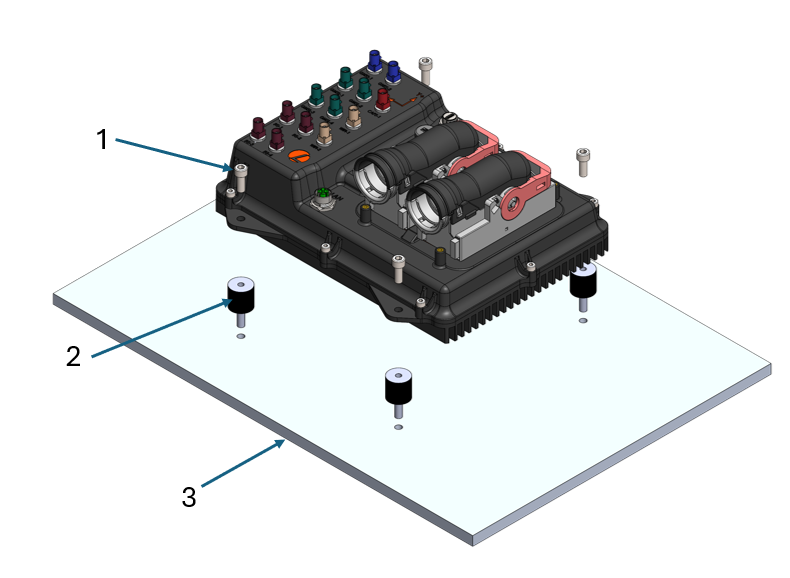
-
Install the four provided rubber stand-offs (2) and tighten them until they come to a hard stop. For through-hole installations, secure each stand-off with a nut on the underside before tightening.
-
Position the AutomatePro on top of the stand-offs and secure it using the four provided DIN912-M6x16 socket head cap screws (1).
DIN Rail Installation
This procedure covers the DIN Rail Mount (AMP-1005).
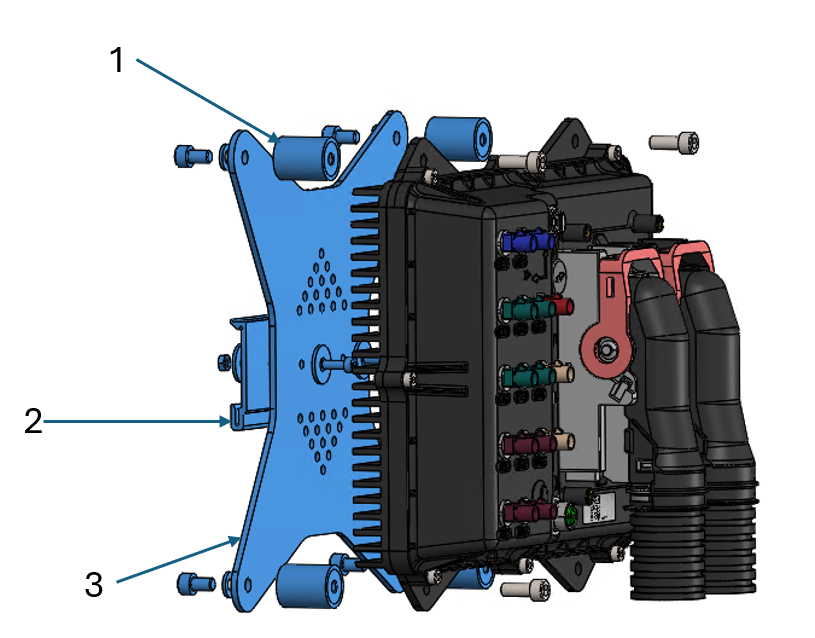
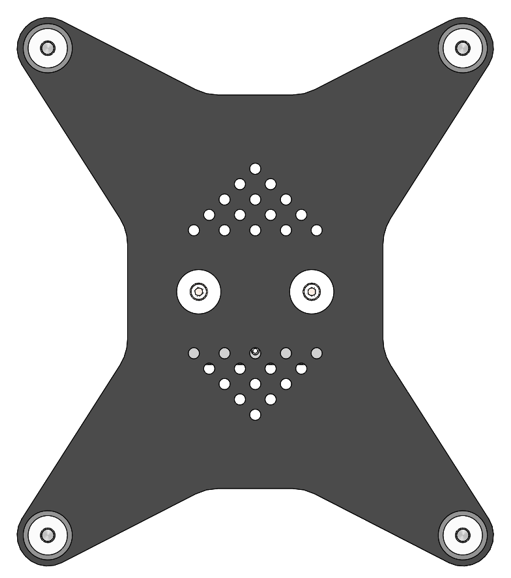
The DIN rail mount is designed to fit a standard 35 mm DIN rail (IEC/EN 60715). The DIN rail mounting kit is supplied complete and includes:
- 4x M6 female-to-female mounting standoffs (1)
- 1x DIN rail clip-on mount (2)
- 3x mounting plates (3)
- All required fasteners
To install the unit, hook the lower spring section of the DIN rail mount onto the rail. Push the upper section of the mount toward the rail and rotate it into position until it clips securely into place.
To remove the unit, reverse the installation procedure.
General Installation Notes
- In high-vibration environments, use a threadlocker or wedge washers to ensure the fasteners remain secure.
- If custom stand-offs are used, maintain a minimum clearance of 6mm between the bottom of the heat sink and the mounting surface.
- The AutomatePro can be mounted in any orientation; however, mounting the unit with the Y+ axis pointing upward is recommended to prevent water pooling and improve convective cooling.
Heat Sinking Considerations
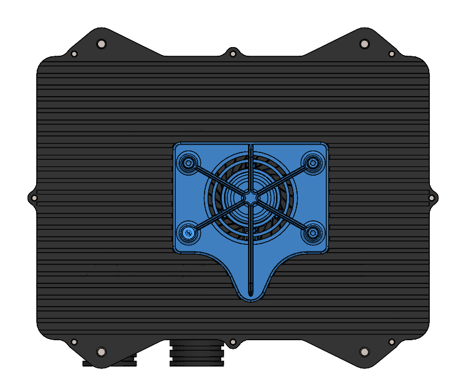
| Configuration | Lemvos Recommendation |
|---|---|
| Jetson Orin Nano 8GB | Standard heat sink without fan. |
| Jetson Orin NX 8GB & 16GB | 1. Heat sink with mounted fan. 2. AutomatePro heat sink mounted to a larger heat-sinking structure. |
- The fan mounted to the heat sink is rated to IP55.
- The fan is controlled by the onboard Jetson thermal controller.
- When mounting the unit to a larger heat-sinking structure, the standard rubber isolation mounts should be replaced with aluminum blocks to allow heat to be conducted into the structure.
- These recommendations assume steady state operation at an ambient temperature of 45 °C with maximum CPU and GPU load. If the ambient temperature or CPU/GPU loads are reduced, operation without the fan may be possible.